 NextLook
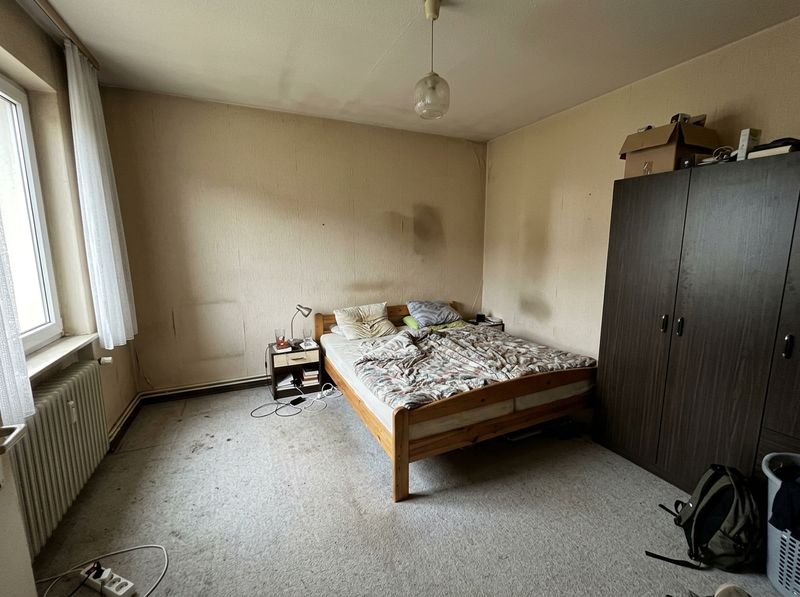
Example: bedroom
Same room, same floor plan - just redecorated. Drag the slider to compare before and after.
Scandinavian style - example image, created with AI.
Start with this style →NextLook › AI Room Planner
Take a photo of your room and pick a decor style - NextLook shows you in seconds how it could look with new furniture, colors, floors and lighting. Walls and windows stay where they are.
Same room, same floor plan - just redecorated. Drag the slider to compare before and after.
Scandinavian style - example image, created with AI.
Start with this style →NextLook lets you have a say - from the style down to a single piece of furniture.
A hotel room from vacation or a picture from a catalog: upload it as a reference, and its colors, materials and mood carry over into your room.
Small, medium or large budget - the suggestions follow what you actually want to spend.
"More plants," "the bed stays by the window," "please in sage green": write down what matters to you.
Almost perfect? Keep designing right on the result - new furniture first, then a different wall color.
Only the sofa should change? With Plus or Business you paint over exactly that spot and the rest stays unchanged.
Drag the slider across the image and see exactly what changed. Save it or share it with one tap.
Pick the room type in the app - the AI furnishes it so it works for its purpose.
Living: living room, bedroom, kitchen, dining room, bathroom, hallway, kids' room, guest room, apartment, walk-in closet.
Working: home office, small office, art studio.
Special rooms: home gym, gaming room, music room, basement.
Commercial rooms such as restaurants, hotel rooms or shops come with NextLook Business. Outside, continue with exterior design and landscape design.
No. NextLook runs in your browser on phone, tablet and computer. If you like, add it to your home screen as an app - no app store needed.
Yes. Furniture, colors, floors and lighting are redesigned - walls and windows stay where they are.
Yes, with Plus or Business: use the brush to mark the spot that should change, and everything else stays as it is.
You get free designs to try it out. Plus gives you more designs and Business adds commercial use - both prepaid, no subscription. All details are under Pricing.
Upload a photo, pick a style, compare - right in your browser, no app store.
Design my room